Snap Snap Motion
Stop motion animation for Windows. Frame by frame, snap by snap — with your DSLR or webcam.
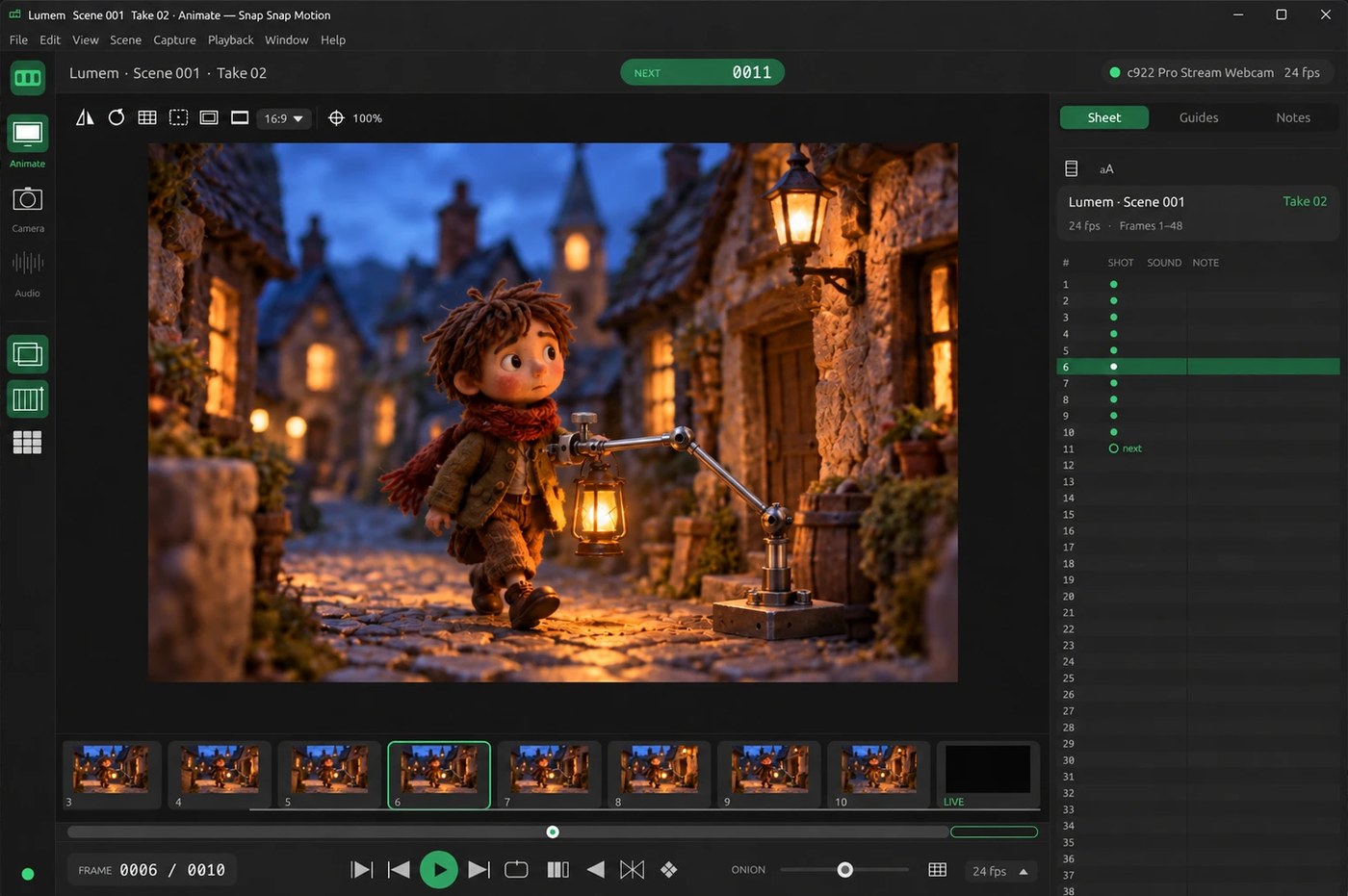
Everything you need on set
Built for animators: shoot a frame, check it against the last one, play it back, keep going.
DSLR capture
Live view, full-resolution JPEG / RAW straight to your PC, exposure, white balance and focus — no extra drivers.
Onion skin
Fade the last frames over the live view, or compare against any frame, to place every move precisely.
Instant playback
Play, loop, ping-pong, short play and end on the live frame, at any frame rate from 6 to 60 fps.
Frame sheet & filmstrip
Scenes and takes, notes per frame, a filmstrip of thumbnails and a scrubber to jump anywhere.
Keypad control
Classic numeric-keypad shortcuts for shoot, play, step, loop and onion skin, plus a movable on-screen keypad.
H.264 export
Export MP4 video in HD, Full HD or 4K from your frames or the full-resolution photos.
Test shots & focus check
Histogram, test shots that stay out of the animation, and camera-side zoom you can drag around to nail focus.
Automatic updates
New versions are offered at start-up and install in one click. Your scene reopens right where you left it.
Cameras
Plug the camera in over USB and pick it as the video source. It connects through Windows' own camera driver, and reconnects automatically if the cable or battery drops out.
Canon EOS
EOS DSLRs with live view — tested on EOS 700D and EOS 250D. Most models from about 2008 on should work.
Nikon
Nikon DSLRs with USB live view — tested on D5300. Works without an SD card: shots go straight to the PC.
Webcams
Any USB webcam Windows recognises, for quick tests, classrooms and pencil tests.
Install
A single small installer. Nothing else to download.
- Download the installer with the button above.
- Run it. If Windows shows “Windows protected your PC”, click More info → Run anyway. The app is safe; this appears because it is new and not yet widely downloaded.
- Start Snap Snap Motion, create a scene and choose your camera under Capture → Video Source.
- For a DSLR: set the mode dial to M and close other camera software (EOS Utility, Nikon apps, Dragonframe) while you shoot.
Many PCs at once? Silent install: SnapSnapMotion-Setup.exe /VERYSILENT /SUPPRESSMSGBOXES /NORESTART /ALLUSERS